01 · Analyse
Point it at the exports. Scout watches every hour.
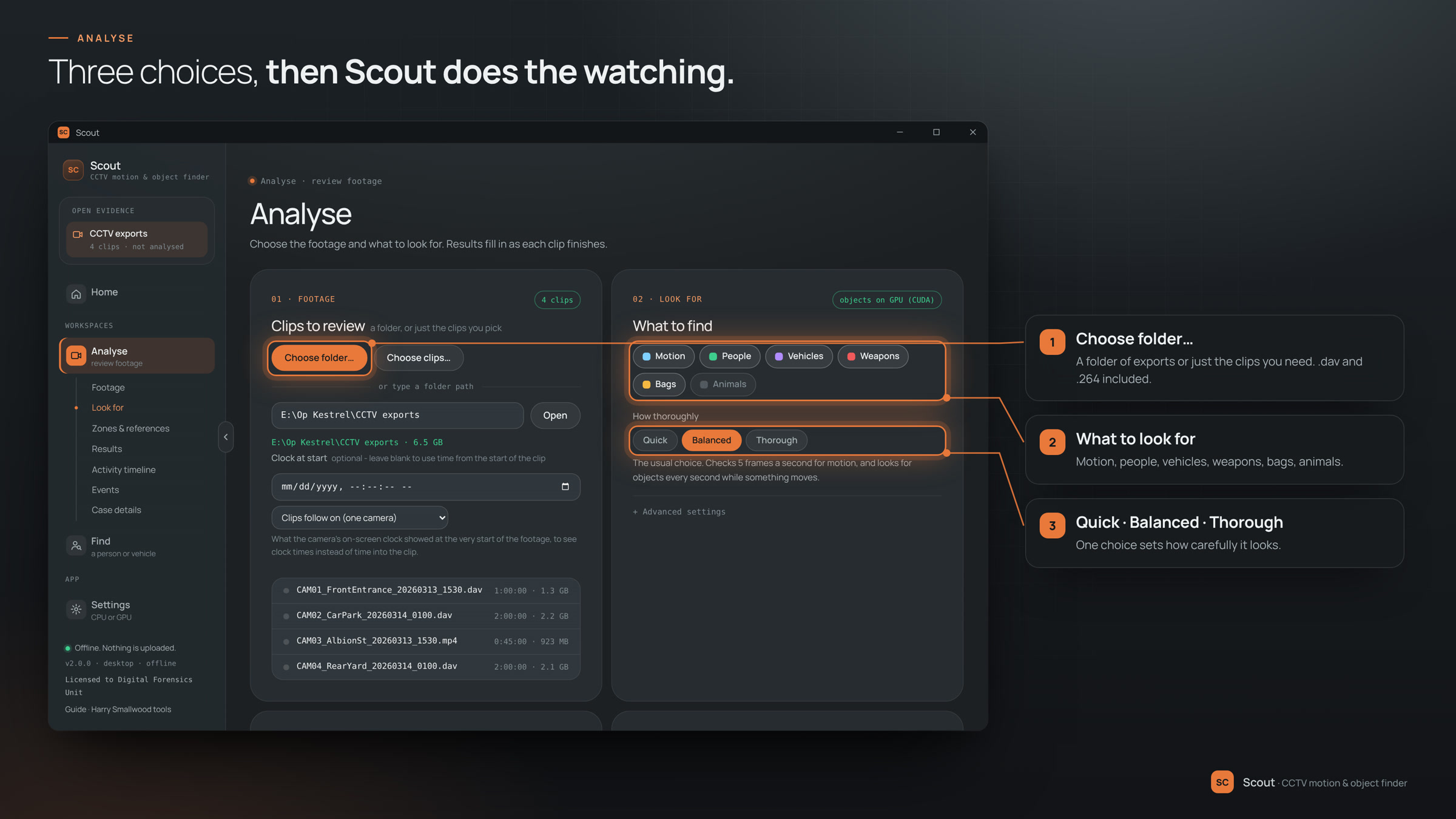
Open a folder of DVR exports, say what you're looking for, and press Analyse. Scout works through every clip on the machine itself and fills in the results as each one finishes.
- Choose a folder… a whole folder of exports, or just the clips you need. .dav and .264 included.
- Tick what to look for motion, people, vehicles, weapons, bags and animals.
- Quick, Balanced or Thorough one choice sets how carefully it looks.
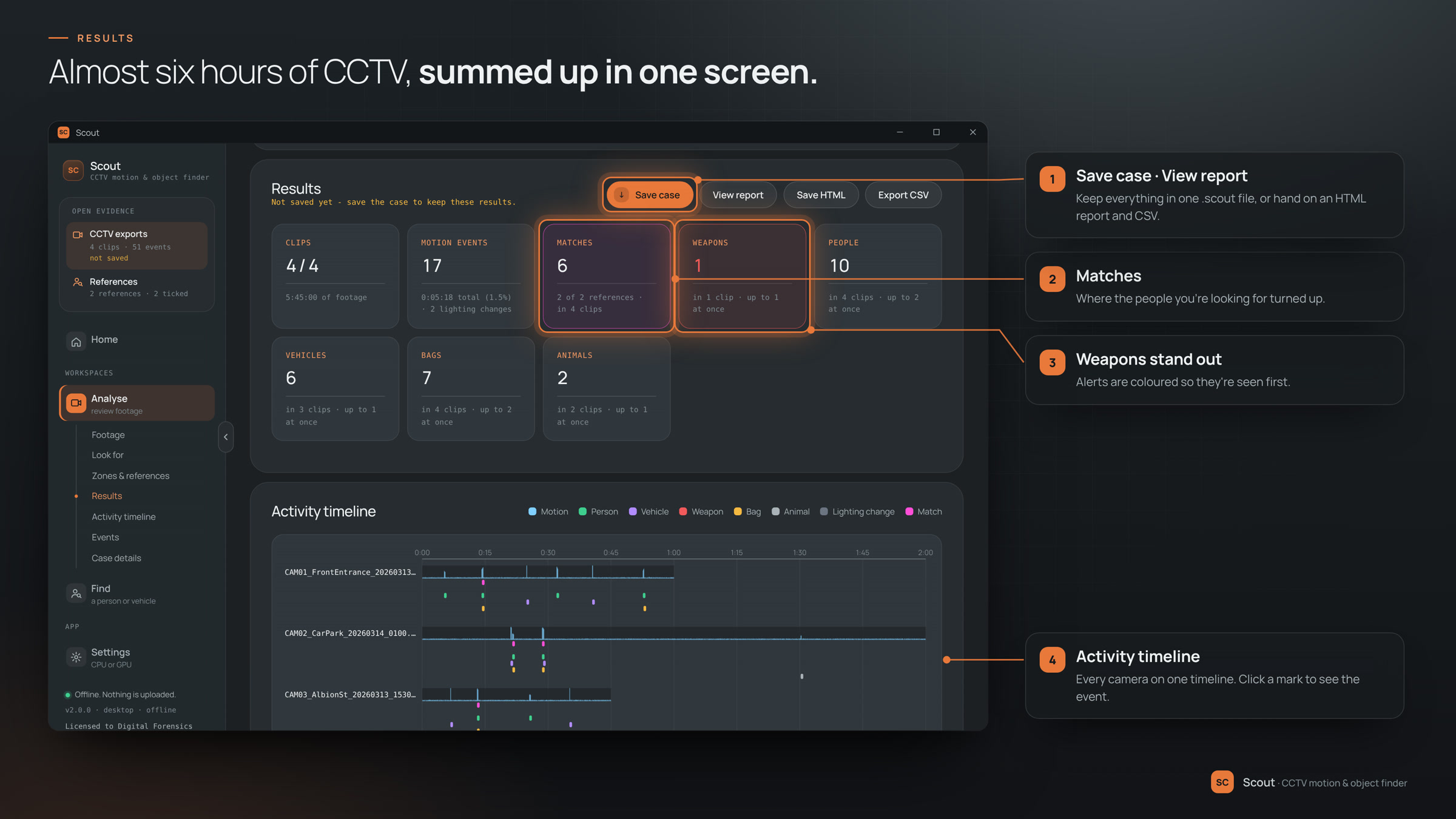
- Analyse every clip is counted up on one results screen, weapons first.