01 · Open & set up
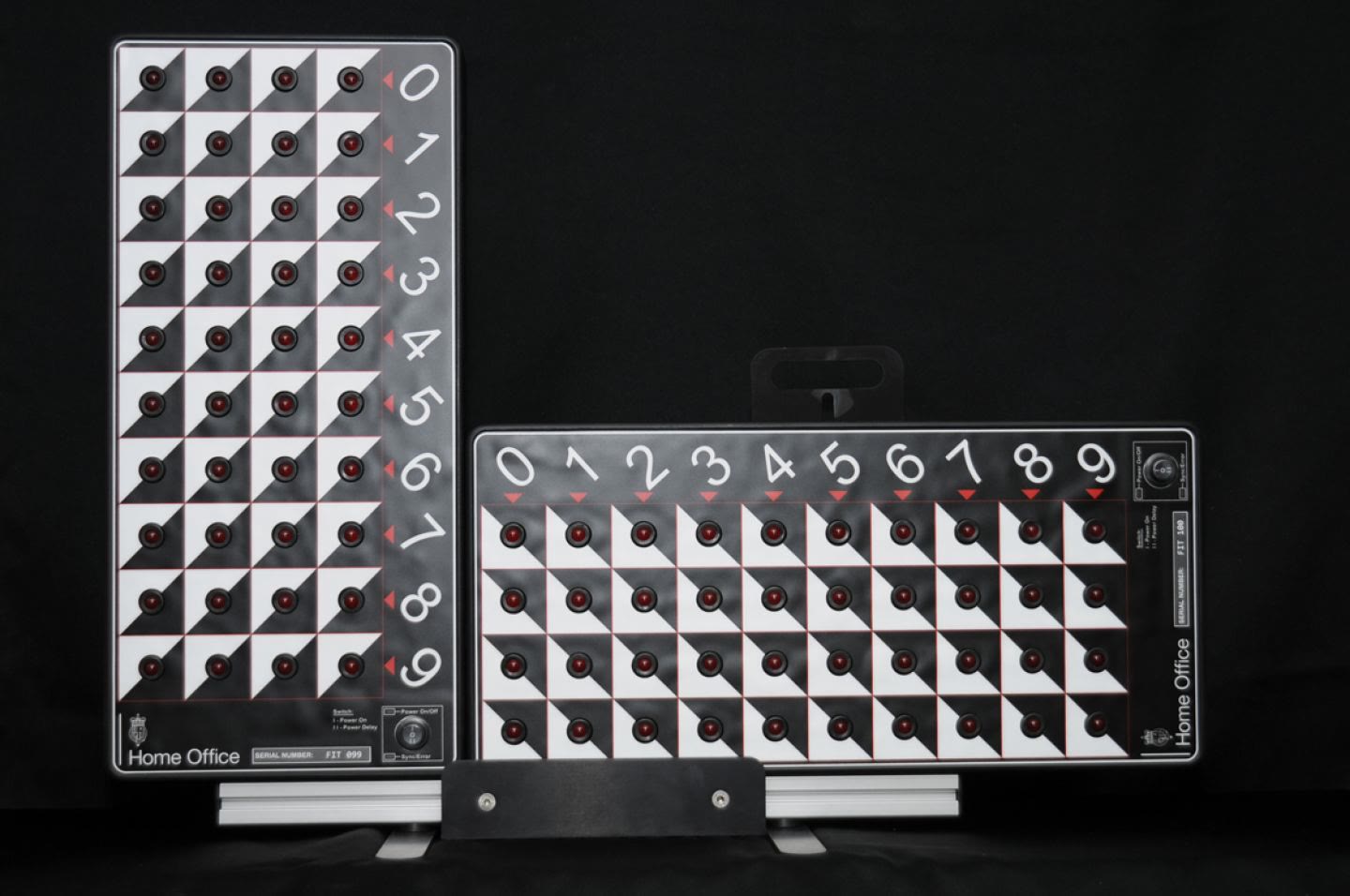
Film the boards. Click four corners, once.
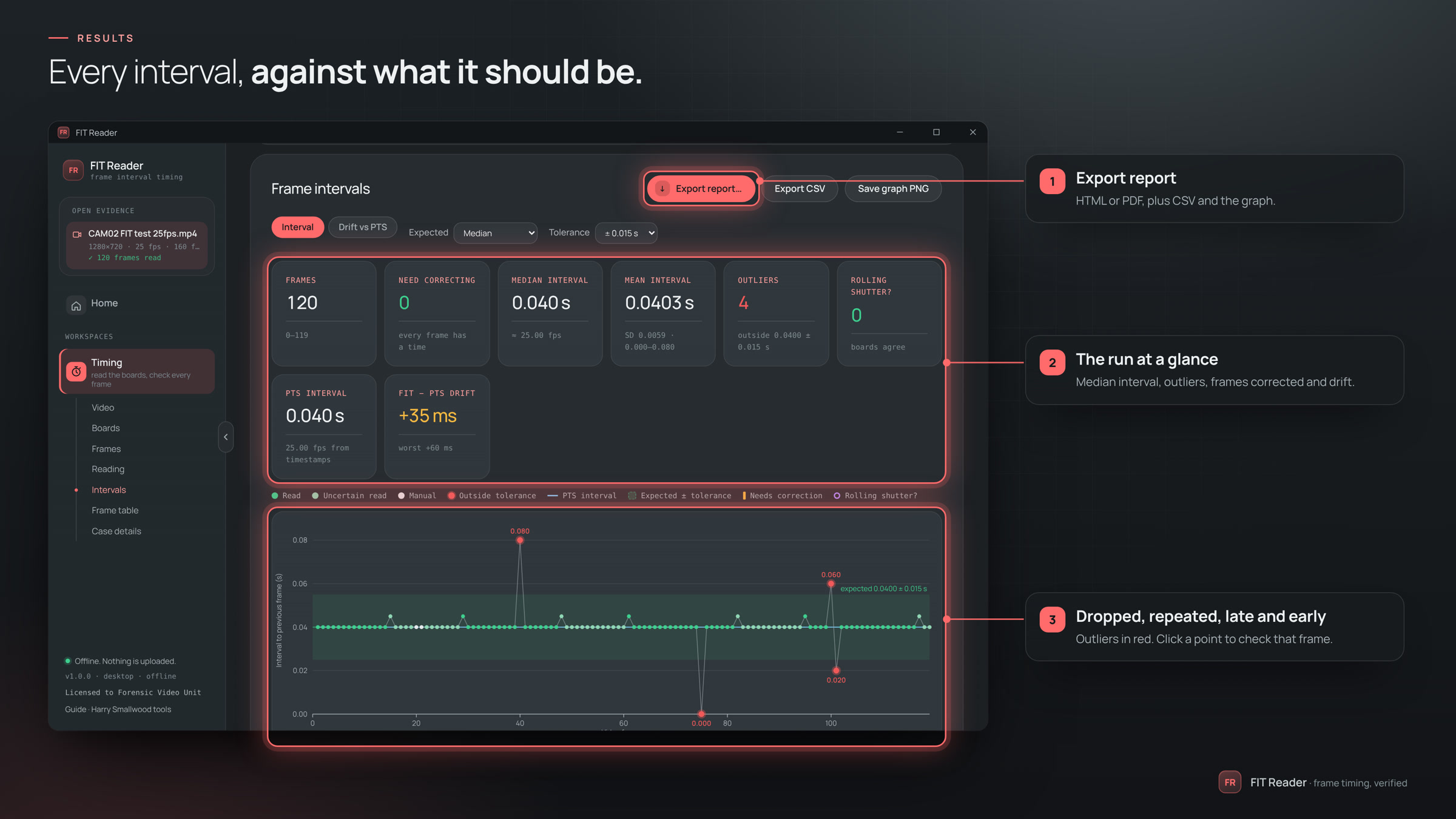
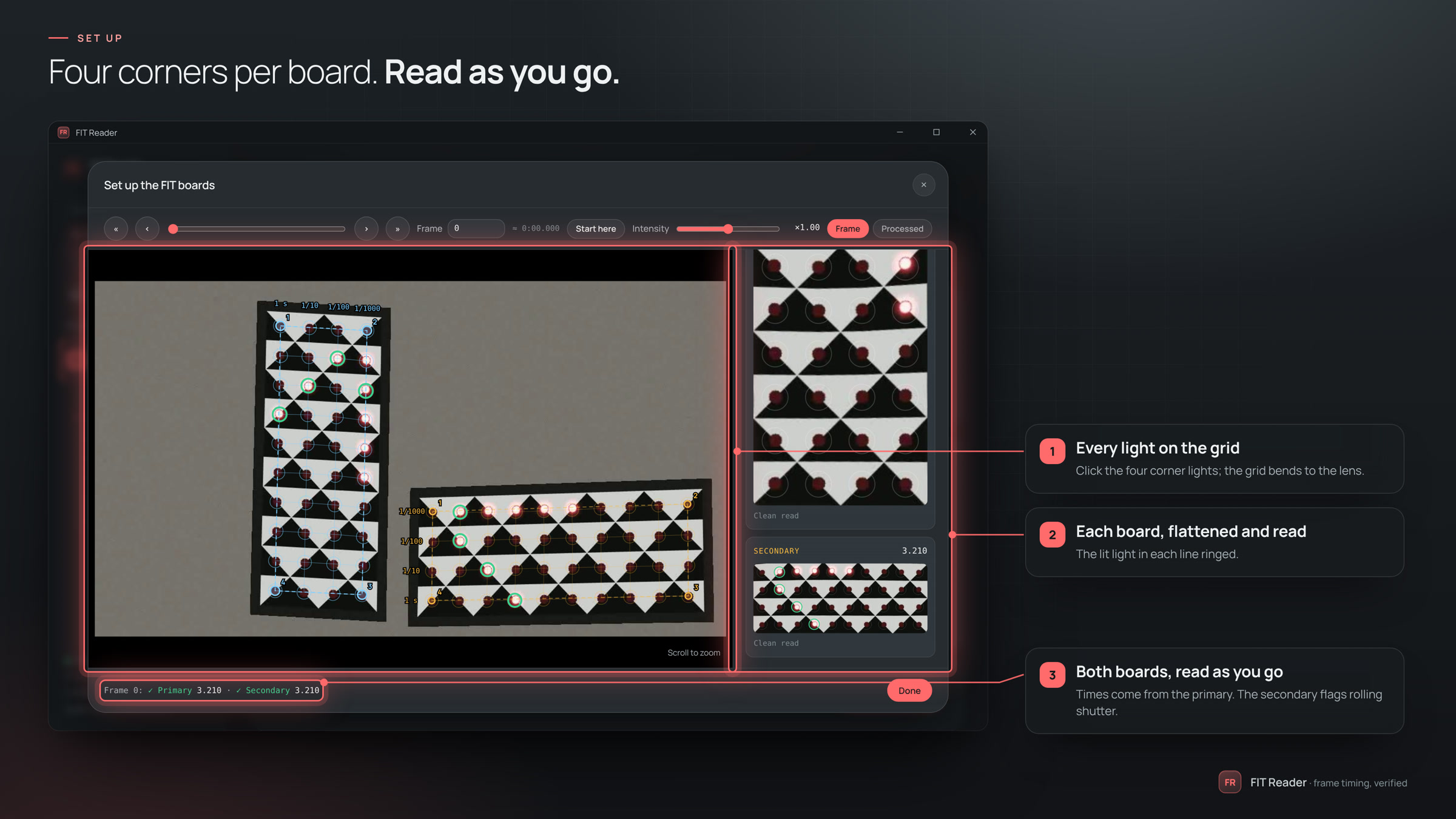
Open the footage of the FIT boards and click each board's four corner lights. FIT Reader finds every light, bends the grid to the lens and reads the frame as you go. The setup is kept for the next video from the same camera.
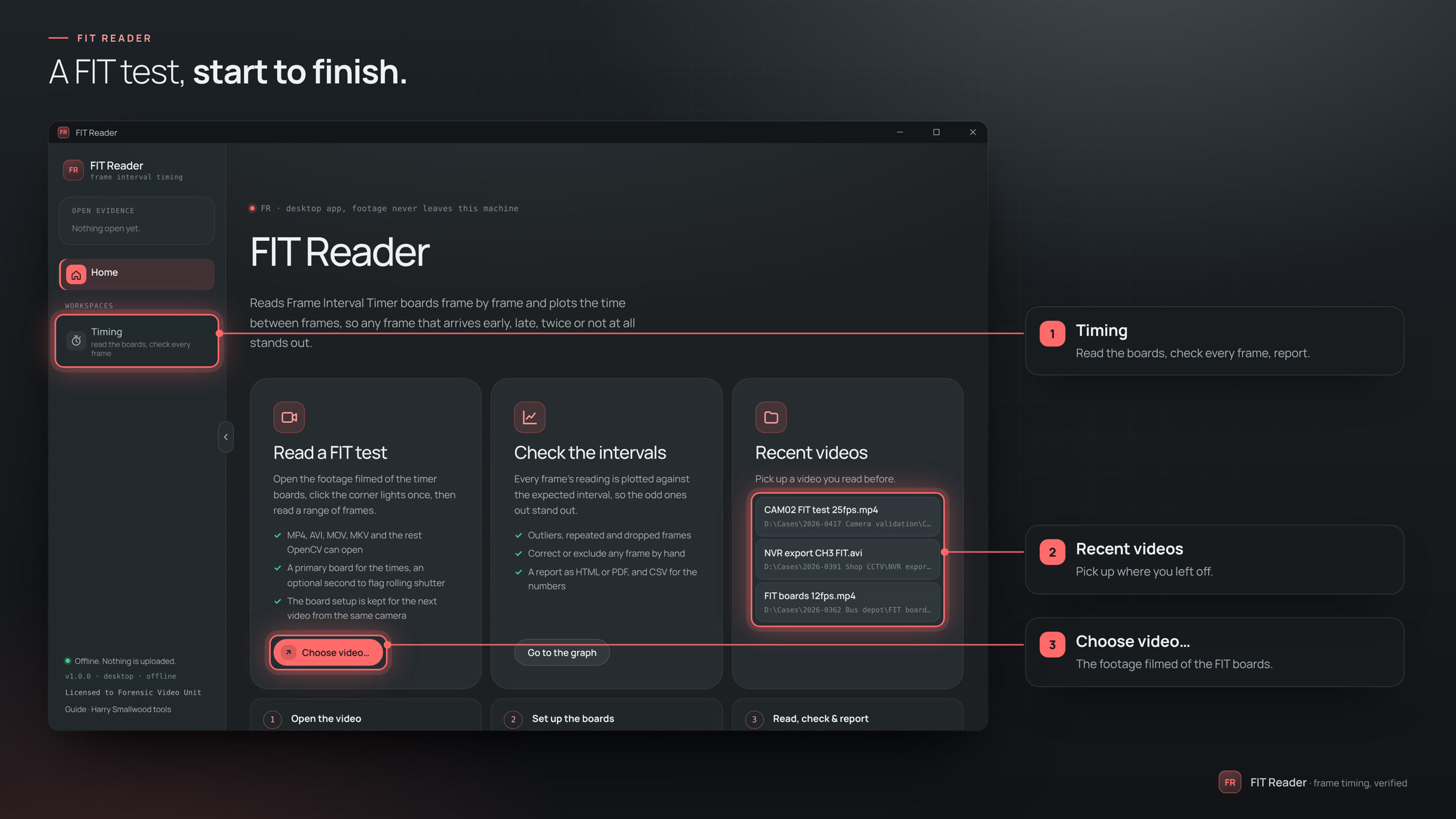
- Choose video… MP4, AVI, MOV, MKV and the rest. It never leaves the machine.
- Set up boards… scrub to a clear frame.
- Place corners then the four corner lights of the primary board.
- Secondary optional: the same again, to flag rolling shutter.